

Migrating from Umbraco to a headless CMS: what to plan for
Umbraco sites tend to be long-lived and carefully structured, which is good news for a migration: the content has a clear shape. It is also why moving it takes planning. Umbraco organises content as a tree of typed documents, and most headless CMSs organise it as flat collections. This guide covers the differences that matter.
First: do you need to leave Umbraco?
Since Umbraco 12, Umbraco has a Content Delivery API, so it can serve content to a separate front end itself. If the goal is a modern front end, keeping Umbraco and adding the API may be enough. Teams usually move away for other reasons: they want the content model in code, a different hosting setup, a JavaScript-based stack throughout, or to leave an old Umbraco version behind without a long chain of upgrades. If one of those applies, read on.
From a content tree to collections
In Umbraco, every page is a node in one tree. The tree does real work: it decides URLs, it groups content into sections, and pages often get their meaning from their parent (a news item lives under the news page).
Headless CMSs such as Payload and Strapi mostly use collections: all posts in one list, all pages in another, with relationships between them. Moving from a tree to collections means deciding what the tree was doing and keeping it explicitly:
- Section membership becomes a collection, or a category on each record.
- Parent-child order becomes a parent relationship and a sort field, where the new site needs it.
- URLs built from the tree become a slug on each record, plus routing in the new front end.
- Home
- About us
- News
- News item
- News item
- Products
- Product
- Pages: Home, About us
- Posts: each news item, with a category
- Products: each product
- Parent and order kept as fields where the site needs them
Document types and compositions
Each Umbraco page has a document type, which defines its properties. Compositions let document types share groups of properties, such as SEO fields or a hero section, without inheritance.
On the new side, each document type usually becomes a collection or content type. A composition becomes a shared group of fields: a reusable field group in Payload, a component in Strapi. Map each property to a field, and note where a composition's fields should become one shared group rather than being copied onto every type.
Property editors, and what they hold
The data inside each property depends on its property editor. These are the ones that need the most thought:
| Umbraco | What it holds | Typical destination |
|---|---|---|
| Rich text editor | HTML, with links and images that point at other nodes and media | The destination's rich text, with references rewritten |
| Block List | A list of blocks, each an element type with its own properties | Blocks (Payload) or a dynamic zone (Strapi) |
| Block Grid | Blocks arranged in a layout of areas and columns | Blocks, with the layout kept as fields or rebuilt in the front end |
| Nested Content (older versions) | Repeated element types, the predecessor of Block List | An array or blocks |
| Content and multinode tree pickers | References to other nodes | Relationships |
| Media picker | References to media items, sometimes with crops | Upload or media fields |
| Tags, dropdowns, checkboxes | Values or lists of values | Text, select or a taxonomy collection |
Block Grid is the one to plan most carefully. Its layout (which block sits in which column) is a design decision as much as content. Some teams keep it as structured data; others keep the blocks and let the new front end decide the layout.
Languages and variants
Since Umbraco 8, a document type can vary by culture: each language gets its own values for the properties that vary, while the others are shared. Headless CMSs handle this differently. Payload keeps every language inside one document, field by field; Strapi keeps a version of the document per locale. Map each Umbraco language to a locale on the new side, and check which properties should be translated and which shared.
Dictionary items, domains and redirects
- Dictionary items hold the labels your templates show, such as "Read more", in every language. They aren't page content, but the new front end needs them. Move them into a global, a collection, or the front end's translation files.
- Domains (Culture and Hostnames) tie languages and sites to addresses. They become part of the new front end's routing.
- Redirects: Umbraco keeps a redirect whenever a published page is renamed or moved. Those old addresses still bring visitors, so include them in the new site's redirects, along with any address the migration itself changes.
Getting the content out
How you read Umbraco depends on its version. Umbraco 12 and later have the Content Delivery API: once it is switched on, it serves published content, and drafts too in preview mode with an API key. Umbraco 14 and later also have the Management API, which sees everything the backoffice sees. Older versions have neither built in, so content comes out through custom code or a package. Whichever route you use, check that it returns every language, unpublished content if you need it, and the full data of block editors, not just their rendered output.
Check the move
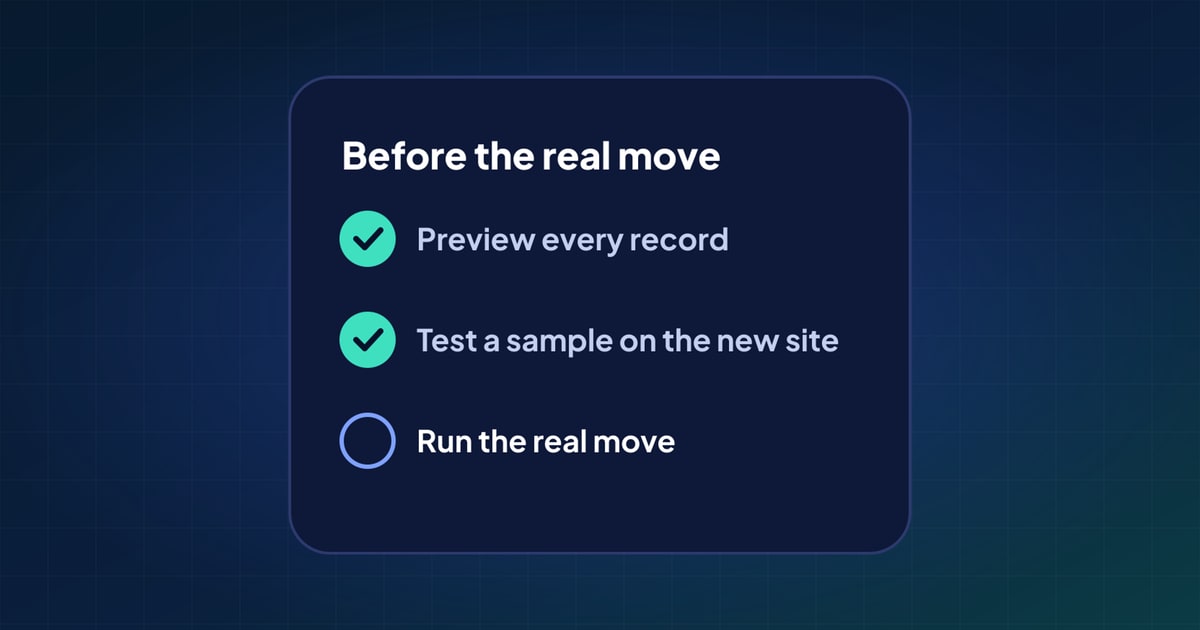
Count documents per type and per language on both sides, then compare a sample property by property, especially pages built from blocks. Our guide to testing a migration before running it covers how.
Questions
Can Umbraco be used as a headless CMS instead of migrating?
Yes. Since Umbraco 12 the Content Delivery API serves content to a separate front end. Migrating makes sense when you want a different stack or content model, not only a new front end.
What happens to Umbraco's Block List and Block Grid content?
Block List content maps well to blocks in Payload or dynamic zones in Strapi. Block Grid also stores a layout, which you either keep as data or rebuild in the new front end.
Will my Umbraco design move with the content?
No. Templates and views belong to the Umbraco site. The new front end is built separately and reads the moved content from the new CMS.
How are Umbraco languages handled in a headless CMS?
Each Umbraco language maps to a locale on the new side. Payload keeps all languages in one document, while Strapi keeps one version per locale, so the mapping differs by destination.
 What actually moves in a CMS migration (and what doesn't)
 10 common CMS migration problems, and how to avoid them
 How to test a CMS migration before you run it